


You’ve done everything right. Your website looks great, your Google Business Profile is live, and your reviews are solid. But still, your competitors show up higher in search results with shiny stars, business hours, and even FAQs under their listings.
Frustrating, right? The truth is, they’re not always better than you — they’re just using a powerful SEO tool called schema markup.
Schema markup for local seo helps Google clearly understand who you are, what you do, and why your business deserves to be seen. It’s like giving Google a “map” of your website so it can showcase your business in richer, more trusted results.
In this guide, you’ll learn what schema markup is, why it’s a game-changer for local SEO, and how you can easily add it to your website to get better rankings, more visibility, and more clicks — even if you’re new to SEO.
What Is Schema Markup? (Explained Simply)
Schema markup is a form of structured data that helps search engines understand your website’s content in a deeper, more meaningful way, not just the words you’ve written.
Think of it as a way of speaking Google’s language. When you add schema markup to your site, you’re giving Google clear signals about what your business is, what services you offer, where you’re located, and even what your customers think of you.
It’s like telling Google:
“Here’s our business name, address, contact details, reviews, and working hours – show them properly to people searching for us.”
This extra layer of clarity allows Google to display rich results such as review stars, FAQs, or business hours right in search results. These enhanced listings don’t just look better; they instantly build trust and encourage more clicks.
The most recommended format for implementing schema is JSON-LD, which Google officially supports and recognizes through schema.org, the structured data vocabulary used across the web.
Why Schema Markup Is Important for Local SEO
For local businesses, schema markup isn’t just another technical detail — it’s a game-changing tool that helps you get noticed, trusted, and chosen online. It tells Google exactly who you are, what you offer, and why your business deserves to stand out in local search results.
If you want to achieve better results in your local SEO, check out our 15 local SEO strategies that actually work.
1. Boosts Local Visibility
Schema markup connects your website with your Google Business Profile, Google Maps, and local listings. For more visibility in local search, check out our Ultimate Local SEO Cheat Sheet for Small Businesses.
When Google clearly understands your business name, category, and location, you’re more likely to appear in local pack results — those top three map listings that attract most local clicks.
2. Increases Click-Through Rate (CTR)
Rich results like reviews, ratings, or opening hours make your search listing stand out. People naturally click on results that look more detailed and “official.”
That means more website traffic, more calls, and more customers.
3. Builds Trust and Credibility
When users see stars, FAQs, and verified business info directly in search results, they immediately trust your brand more. Schema markup makes your business look professional and authentic — even before someone visits your site.
The Real Benefits of Schema Markup for Local Businesses
Adding schema markup makes it easier for both Google and your customers to understand what your business is all about. It helps your website show extra details like reviews, opening hours, and services right in the search results. These small details make a big difference because they help your listing stand out and grab attention instantly.
That means people notice your business faster and trust it more. When Google clearly understands your business, it rewards you with better visibility, bringing you more clicks, more calls, and more real customers, all without spending extra on ads.
If you want to understand the full strategy for SEO and local search, check out our Step-by-Step SEO Roadmap.
Types of Schema Markup for Local Businesses (and How to Use Them)
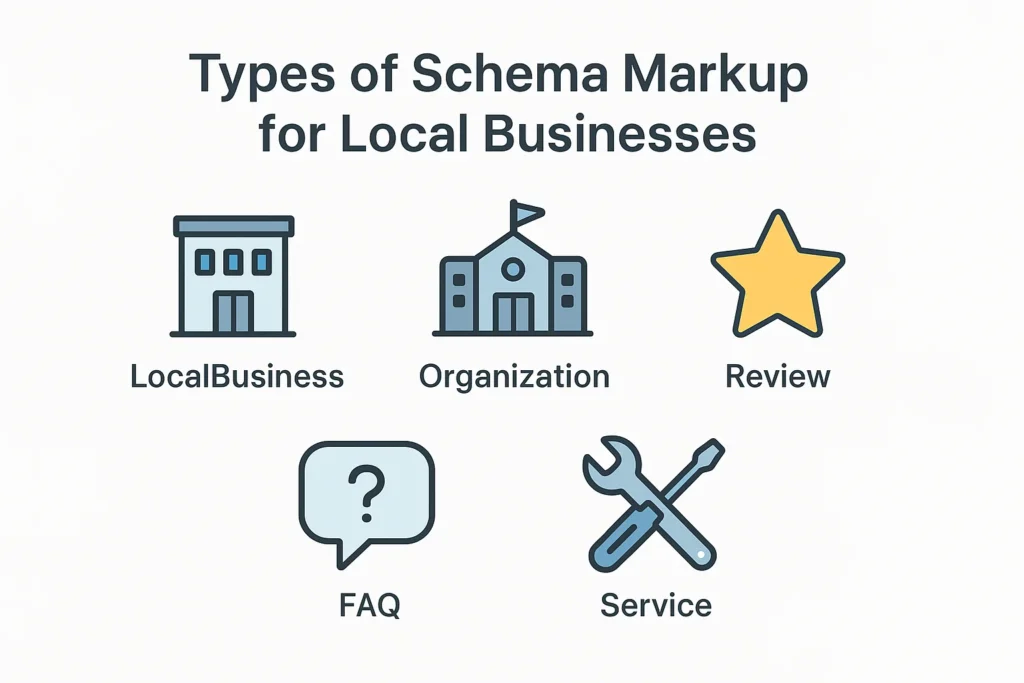
Schema markup comes in many types, but local businesses should focus on a few that directly impact local visibility and customer trust. Let’s go over the most useful ones — and how to set them up step by step.
1. LocalBusiness Schema (The Most Essential One)
This is the foundation of local SEO schema. It tells Google your business name, address, phone number, opening hours, and service area.
Why it’s important:
It connects your website to your Google Business Profile and map listings, helping your business appear in local search results.
How to create it:
- Go to TechnicalSEO.com’s Schema Markup Generator.
- Choose “Local Business.”
- Enter your business details (name, address, phone number, hours, etc.).
- Copy the generated JSON-LD code.
- Paste it into the <head> section of your website (or use a plugin like Rank Math or Yoast SEO).
Pro tip: Make sure your information matches exactly with your Google Business Profile.
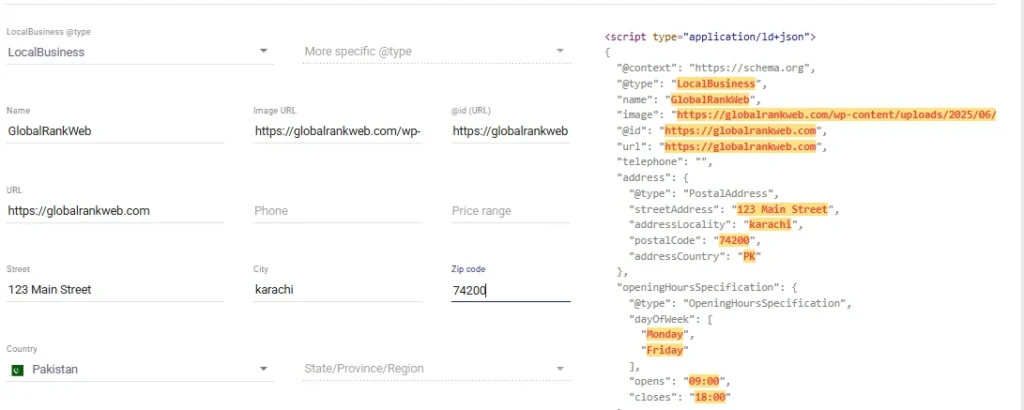
Here’s an example of what a LocalBusiness Schema looks like:
2. Organization Schema (For Brand Authority)
This schema describes your business as an organization, including your name, logo, website, and social media profiles.
It helps Google link your brand across the web and can improve your visibility in the Knowledge Graph (that info box that appears for branded searches).
How to add it:
Most SEO plugins (like Yoast or Rank Math) let you add Organization schema automatically. Just fill in your business info under “Knowledge Graph Settings.”
3. Review Schema (For Social Proof)
Reviews are powerful — they influence decisions instantly. Review schema helps Google display your average rating and number of reviews right under your search result.
How to implement it:
- If you use a review plugin (like WP Review or Site Reviews), many add schema automatically.
- Or use a schema generator and include rating data manually.
Important: Only show reviews from real customers on your site. Fake or self-added reviews can lead to penalties.
4. Service Schema (For Your Key Offerings)
If you’re a service-based business like a plumber, salon, or SEO agency, Service schema helps Google understand exactly what services you offer.
Example:
If you run a cleaning business, you can list “Home Cleaning,” “Office Cleaning,” and “Deep Cleaning” as your main services.
How to add it:
Use a schema generator or plugin, choose “Service,” and list each service with a short description.
5. FAQ Schema (For Rich Results)
If your website includes an FAQ section, adding FAQ schema helps those questions appear directly in search results.
Why it matters:
It increases your content’s visibility and lets potential customers get quick answers without leaving Google — which builds trust.
How to add it:
You can manually insert JSON-LD code or use plugins like Yoast SEO, Rank Math, or Schema Pro, which generate FAQ schema automatically when you use FAQ blocks.
How to Test Your Schema Markup
After adding the schema, always check that it’s working properly.
Use these tools:
Just paste your page URL or code, and these tools will show if Google can read your schema correctly.
Best Practices for Schema Markup
- Keep your NAP (Name, Address, Phone) consistent across your site and Google Business Profile.
- Use JSON-LD format (it’s Google’s favorite).
- Avoid spammy or fake reviews.
- Update the hema whenever your business info changes.
- Combine multiple schema types, LocalBusiness, Organization, and Review work great together.
Final Thoughts: Turn Your Local Listings into Click Magnets
Schema markup might sound like something only tech experts can handle, but in reality, it’s one of the easiest and most powerful ways to boost your local visibility.
By helping Google clearly understand what your business offers, you make it easier for potential customers to find you and trust you before they even visit your site.
When done right, schema markup can transform your plain search listing into a rich, attention-grabbing result that drives more clicks, calls, and customers.
Let’s Grow Your Local Visibility Together
If setting up schema markup feels overwhelming, you don’t have to do it alone.
At GlobalRankWeb, we specialize in helping small and local businesses appear higher in Google with expert local SEO and structured data optimization.
We’ll handle all the technical parts — from adding the right schema to improving your local rankings — so you can focus on running your business.
Ready to stand out in local search and attract more customers?
Start your journey with GlobalRankWeb today and let our SEO experts make your business shine where it matters most — on Google Search.